See the block you're mining
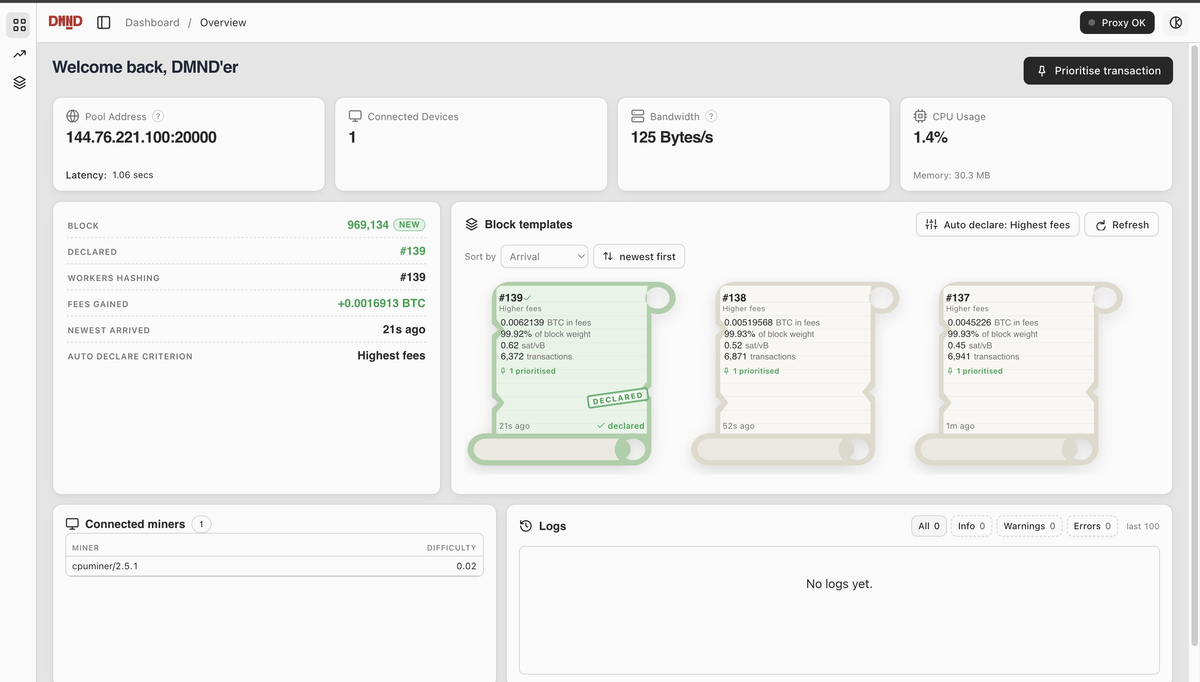
The DMND Client now ships with a dashboard. If you build your own blocks on DMND, you can open it and see what your miners are working on, what it pays, and what you've added to it.
Overview
The first screen tells you whether the client is up and connected to the pool. It shows the pool address and latency, bandwidth, CPU and memory, and how many devices are pointed at the client. Below that you get the connected miners with the share difficulty each one is on, and the client logs filtered by info, warnings and errors.
The panel that matters is Block templates. Your node sends the client a new candidate block whenever mempool fees rise enough to build a better one. The dashboard shows the latest three. Each card gives total fees, how full the block is, the fee rate, the transaction count and how many transactions you've prioritised. Click a card and you get every transaction in that block with its fee, fee rate, size and weight, plus the coinbase value and subsidy. Copy the txids or export the whole list as CSV.
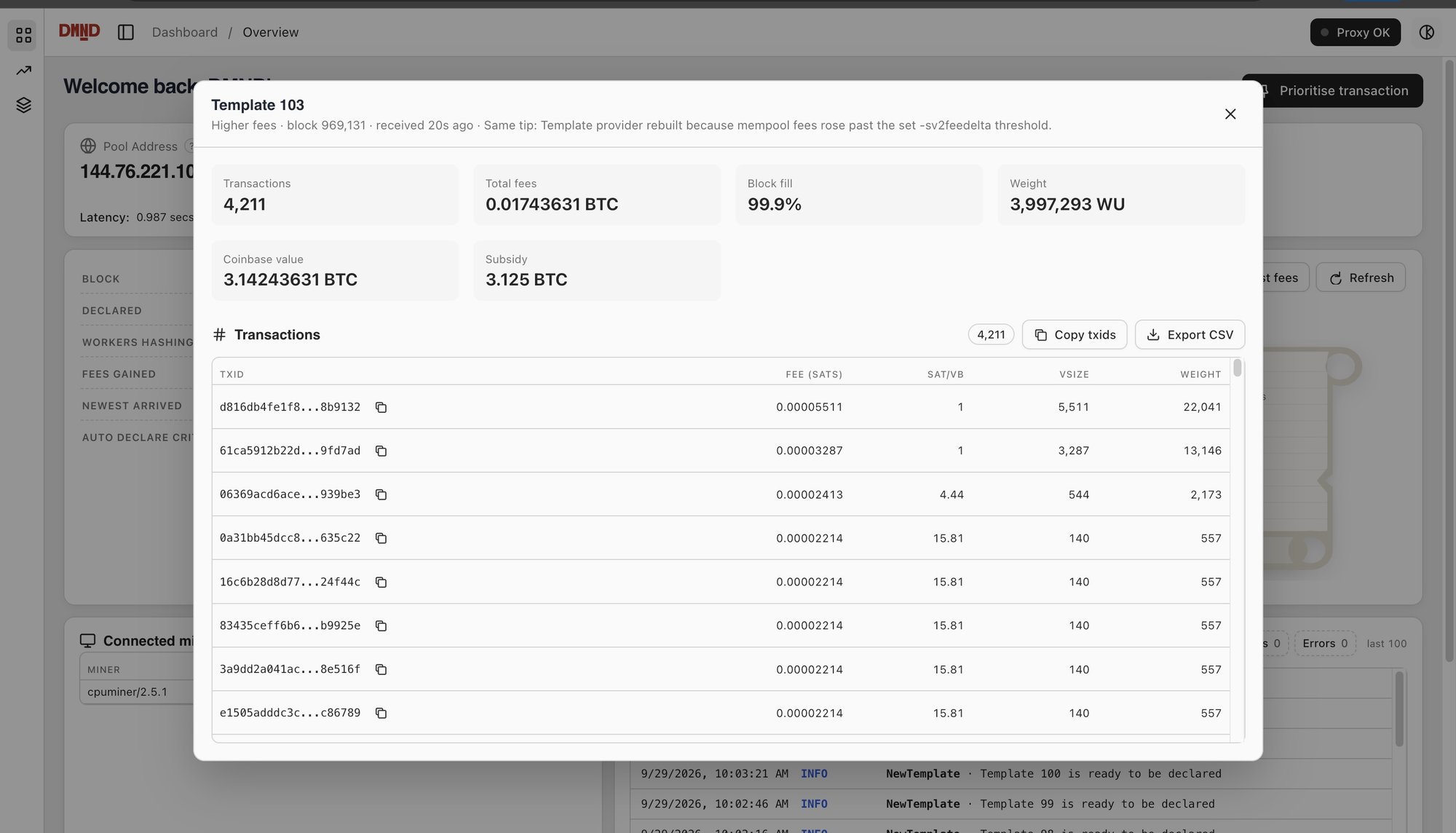
The card stamped Declared is the one your miners are hashing on. The client picks it automatically by the rule you set, highest fees by default. Fees gained shows how much more that block pays in fees than the first template you received for the same height. On one of our test runs three templates arrived inside a minute, and the declared one carried 0.0017 BTC more in fees than the oldest.
Prioritise a transaction
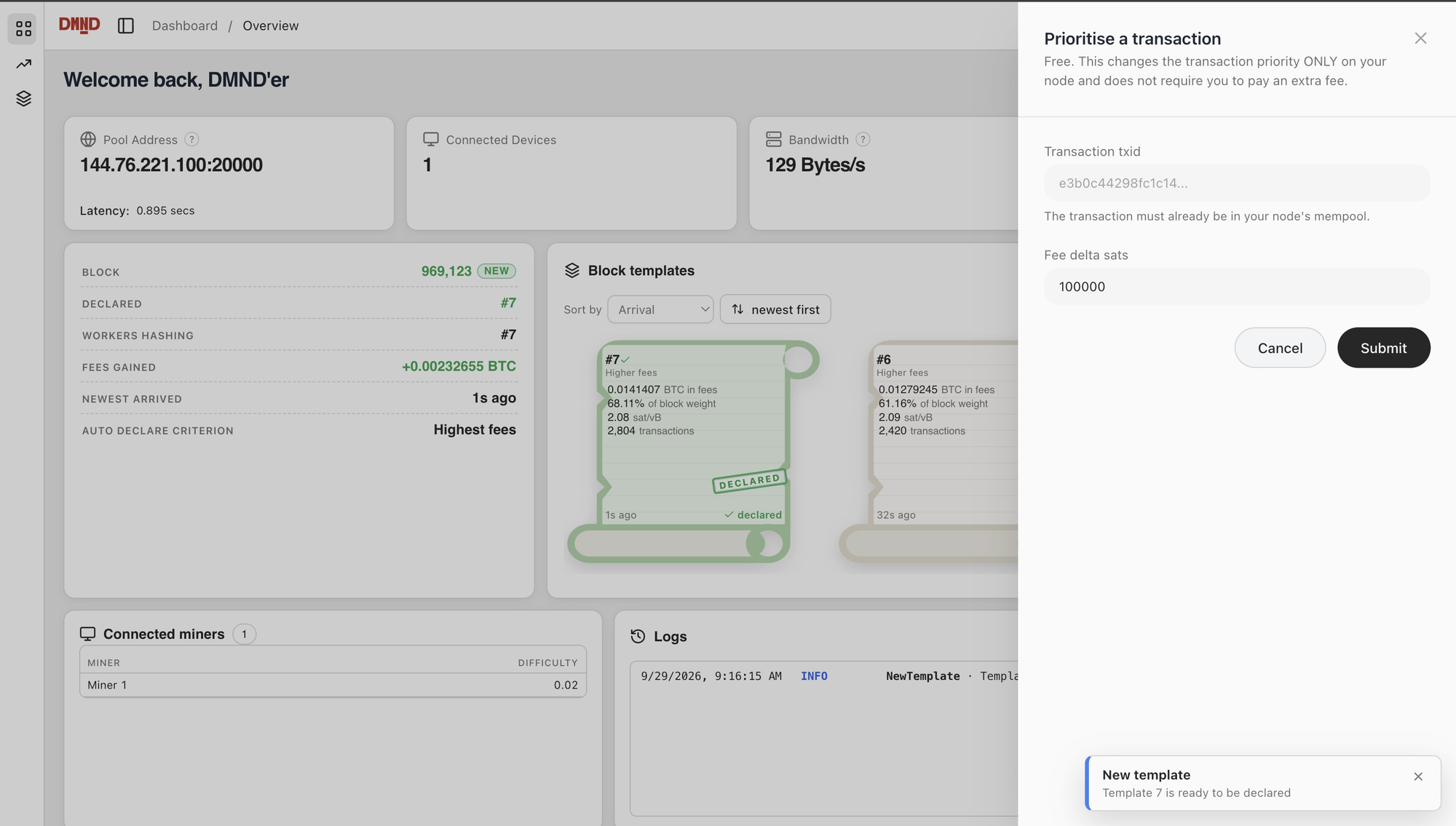
Click Prioritise transaction, paste a txid, set a fee delta in sats and submit. Your node treats that transaction as if it paid that much more and ranks it higher when it builds your next template. The real fee doesn't change and you don't spend anything. It only affects the blocks you build, and the transaction has to be in your node's mempool already.
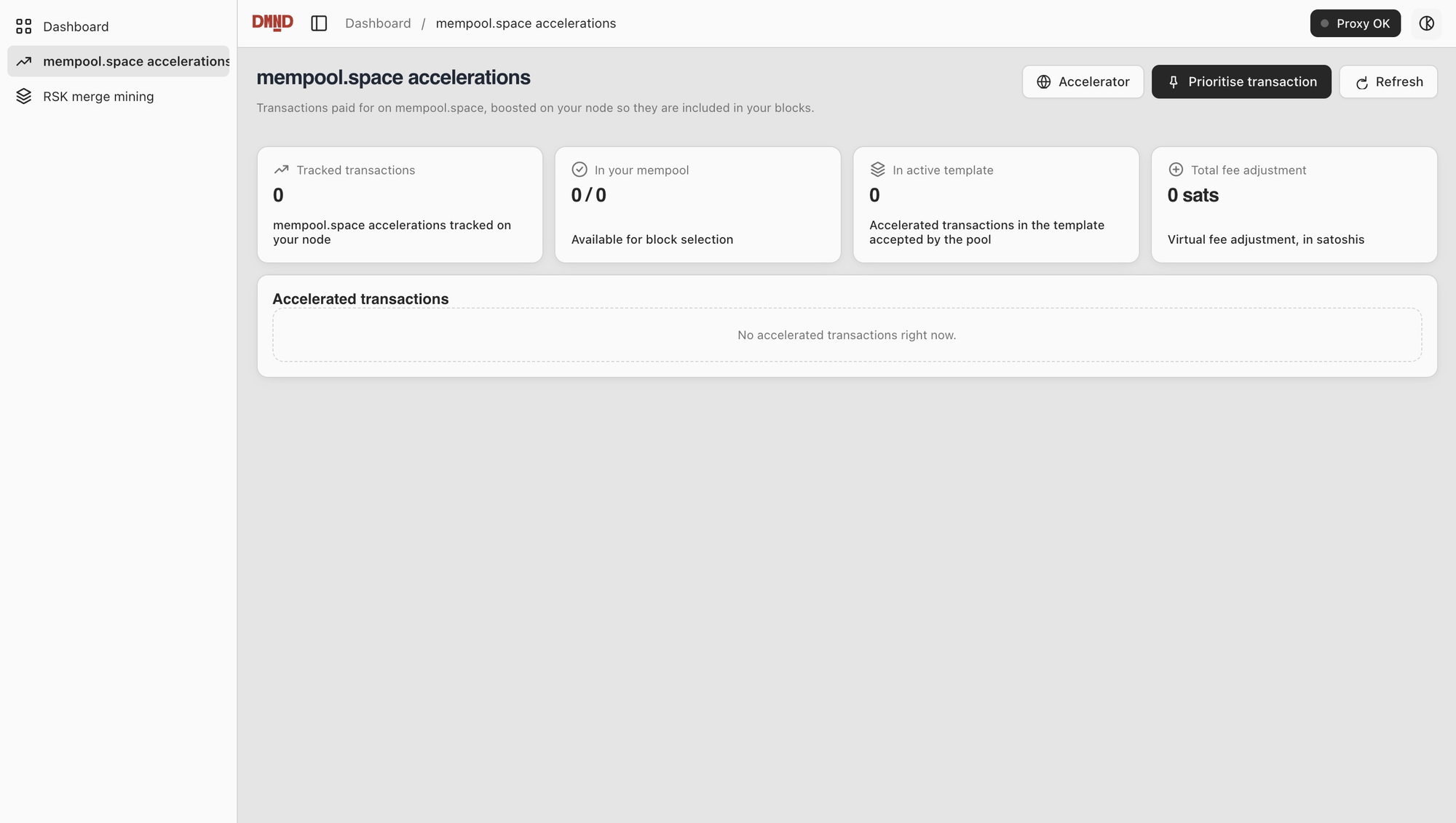
mempool.space accelerations
When someone pays mempool.space to accelerate a transaction, the client picks it up and boosts it on your node so it goes into your block. This screen shows how many accelerated transactions you're tracking, how many your node has in its mempool, how many made it into the template the pool accepted, and the total virtual fee added. When you find a block with accelerated transactions in it, the acceleration revenue is paid to you.
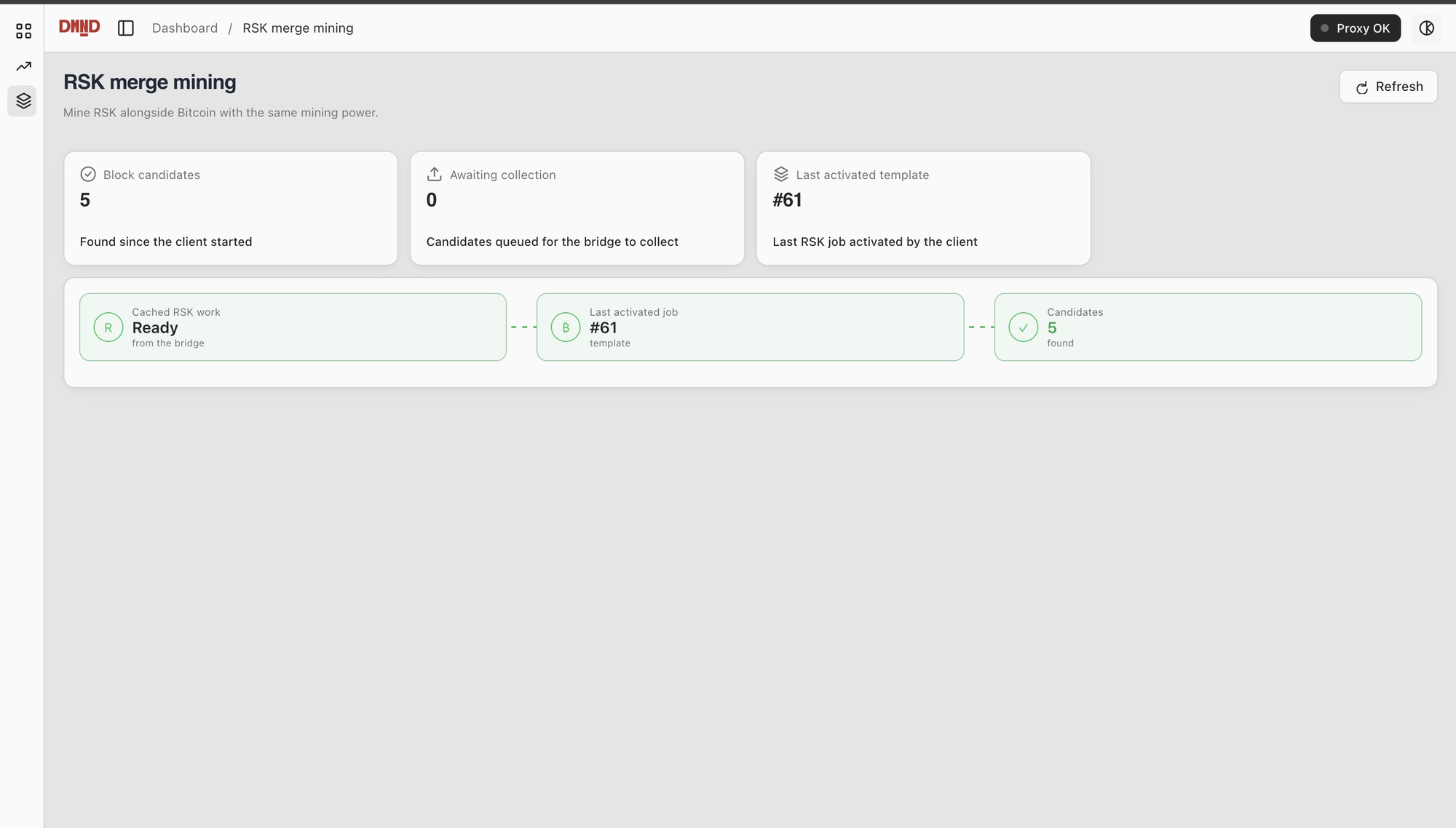
RSK merge mining
If you run the RSK bridge, this screen shows whether you have current RSK work from the bridge, the last job the client activated with it, how many RSK block candidates you've found since the client started, and how many are still waiting for the bridge to submit. Same hashing, rBTC on top, and now you can watch it work.
What you need
Run v0.3.29 or later of the DMND Client. The dashboard opens automatically on port 3001. To use a different port, set api_server_port.
The overview needs a running client with your TOKEN set, connected to the pool, with your ASICs pointed at its listening address. Templates need Bitcoin Core and the Template Provider with tp_address set, and your API_TX_TOKEN entered in the dashboard to unlock the view. Accelerations also need RPC_URL, RPC_USER and RPC_PWD. RSK needs API_SECRET on the client, RskJ with the mnr module and miner server enabled, and the bridge configured with the same secret. The RSK guide covers that setup step by step.
Start mining your own blocks today at join.dmnd.work